Hosted web workspace
Use the current cloud workspace from a supported browser on computers, tablets, and phones when an internet connection is available.
Offline-friendly field service workflow
850 Work pairs a hosted web workspace with a separate Windows desktop edition designed for local, offline-friendly work and resync when internet service returns. The browser app still needs connectivity for current cloud data, and online payments, outbound email, activation, and cross-device updates cannot complete while the device is offline.
Two editions, one business direction
Use the current cloud workspace from a supported browser on computers, tablets, and phones when an internet connection is available.
Use the installed desktop edition for supported local work during an interruption instead of relying only on a browser tab.
When connectivity returns, the desktop connection can exchange supported changes with the hosted account. Review sync status before assuming every device is current.
Clear boundaries
| Activity | During an outage | After reconnection |
|---|---|---|
| Supported desktop records | Continue supported local desktop work using the installed data available on that device. | Run and review the resync workflow before using another device as the source of truth. |
| Web app | The live hosted workspace cannot retrieve current cloud data without a connection. | Reload and confirm the current account state. |
| Online payments and email | Stripe checkout, webhooks, SMTP delivery, and live payment confirmation must wait for internet access. | Send or confirm the action from the connected edition and verify its recorded status. |
| Other devices | They cannot see local desktop changes that have not synced. | Confirm synchronization before two people edit the same record. |
Connected workspace
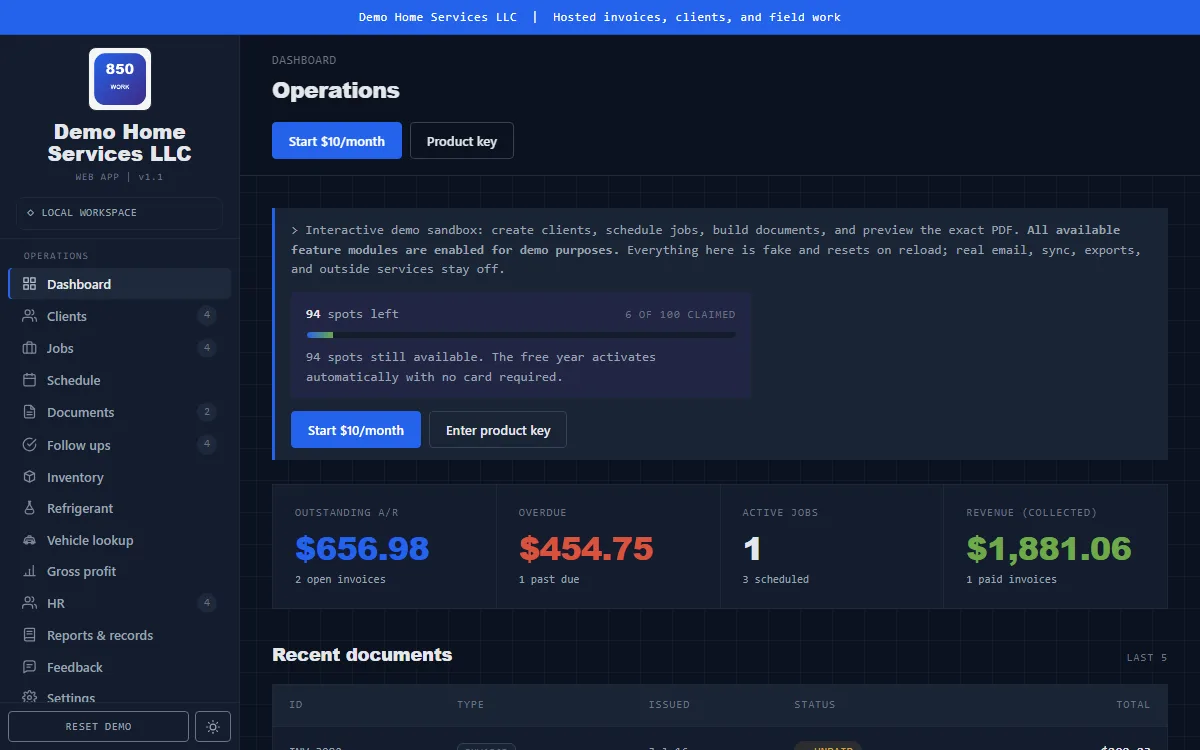
This is a real demo screenshot of the hosted workspace. The Windows desktop edition is a separate installed product and can have a different version number.
Safe operating habits
Offline-friendly does not mean outage-proof. Device loss, conflicting edits, stale local data, or an interrupted sync still require review and backups.
Windows setup
Direct answers
The Windows desktop edition is designed for supported local, offline-friendly work. The hosted browser app and internet services still require connectivity.
The desktop edition includes a cloud connection and resync workflow. Users should review sync status and errors before assuming every device is current.
No. Stripe checkout, payment confirmation, webhooks, and related online services require an internet connection.
No. The hosted browser workspace requires connectivity for current cloud data. Offline-friendly work is provided through the separate Windows desktop edition.
Keep exploring
The demo does not require a credit card. Full access is managed from inside the app.